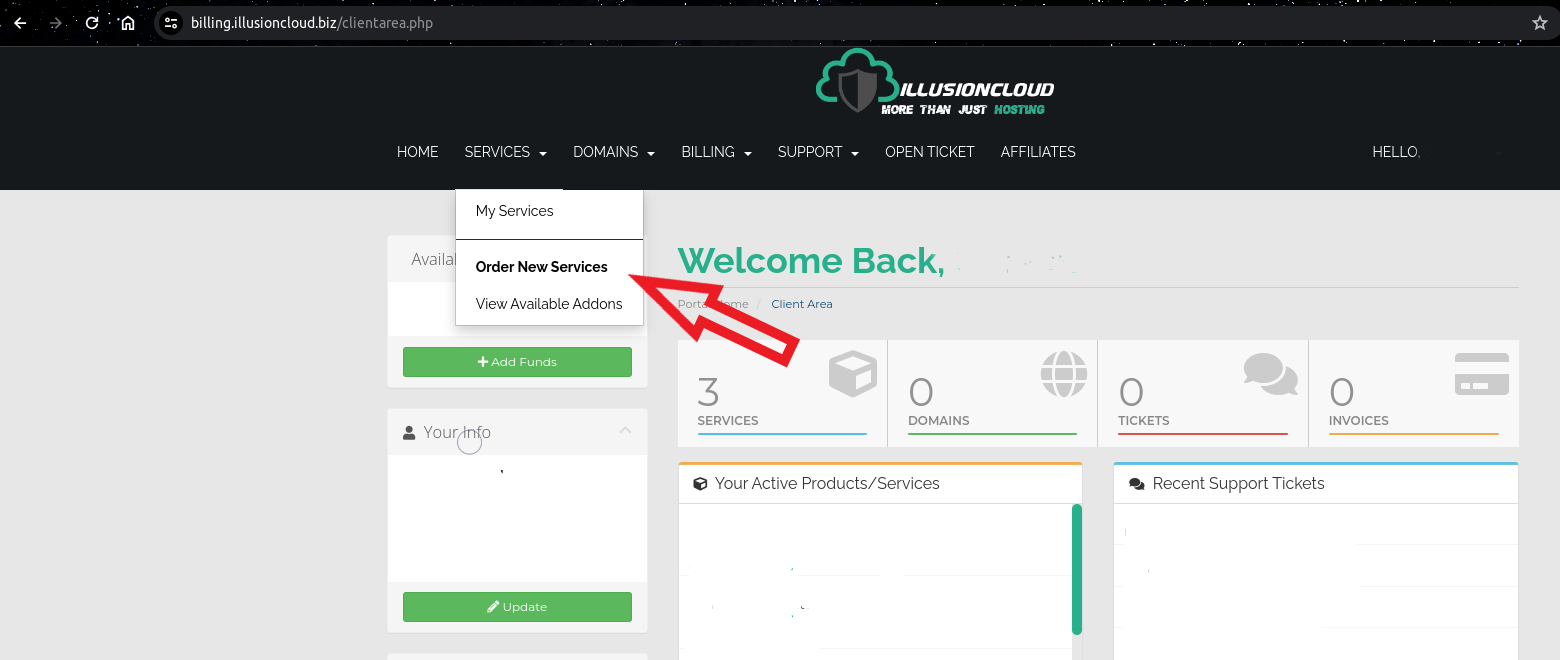
Step 1: Go to the services menu
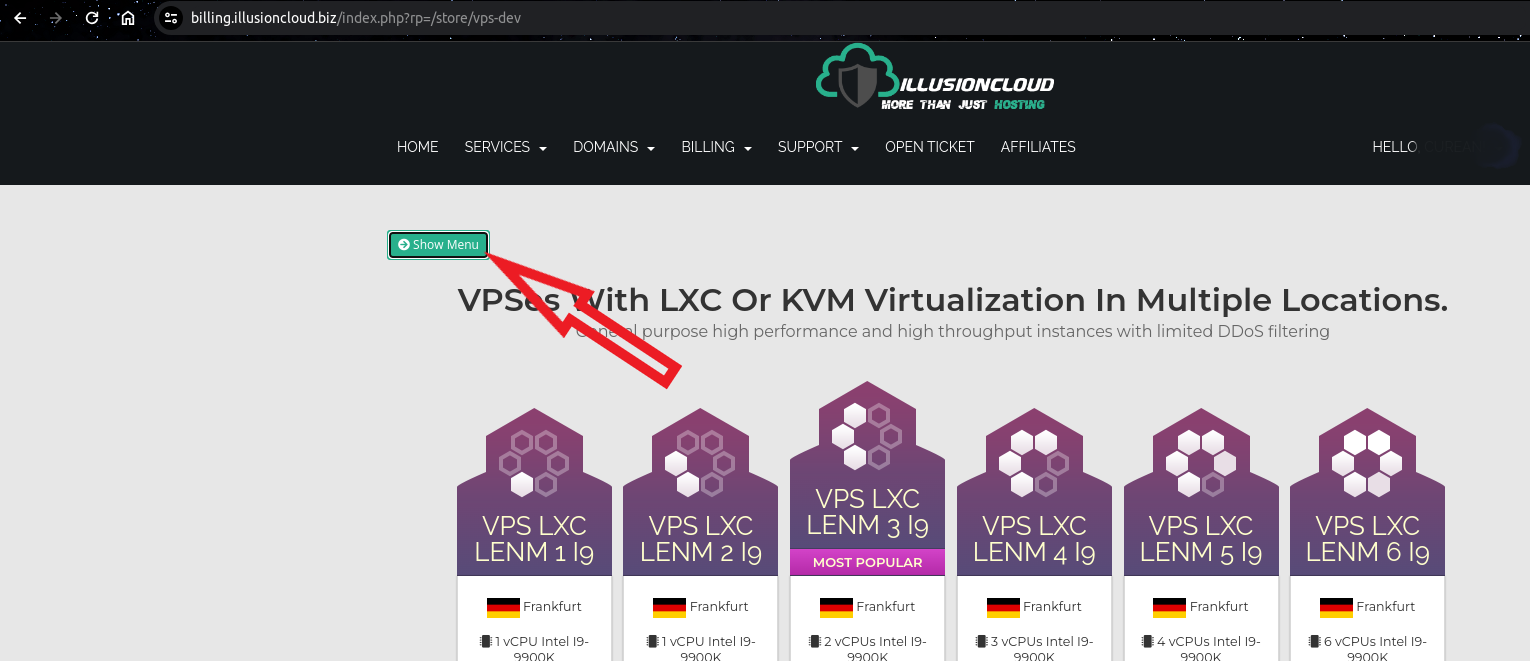
Step 2: Open the categories menu for services
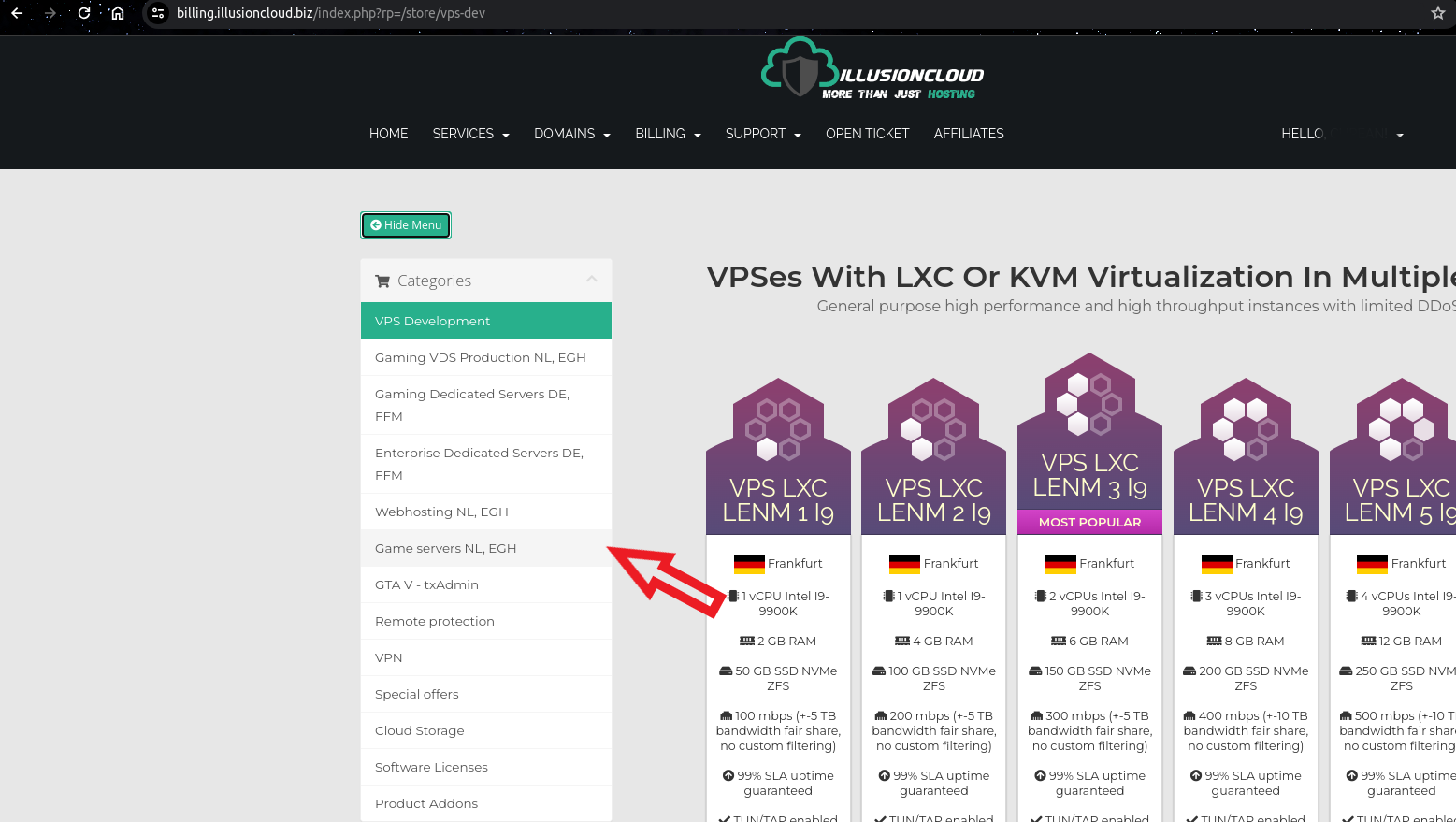
Step 3: Open the game servers services category
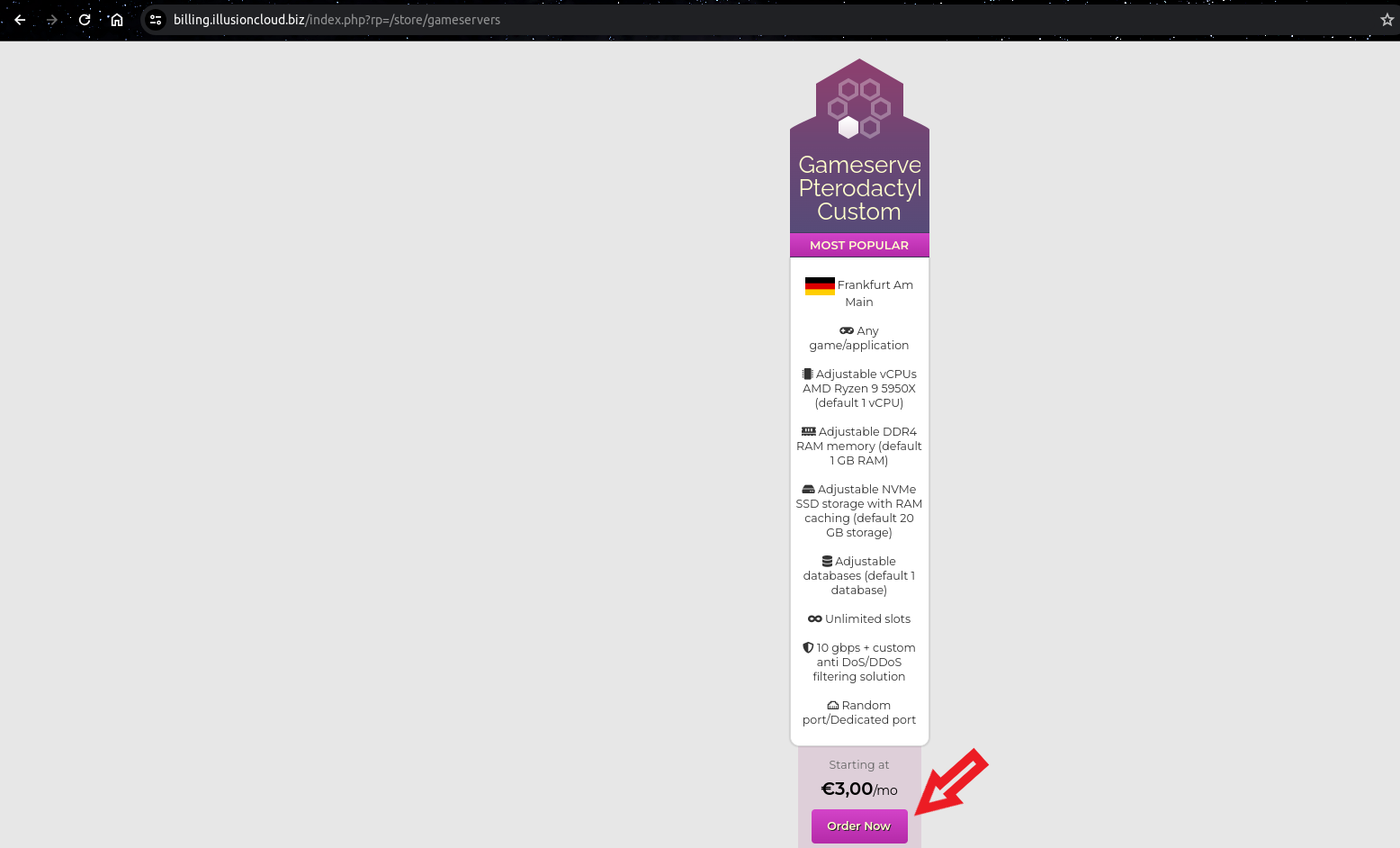
Step 4: Click on the buy now button to add to cart and continue configuring the service
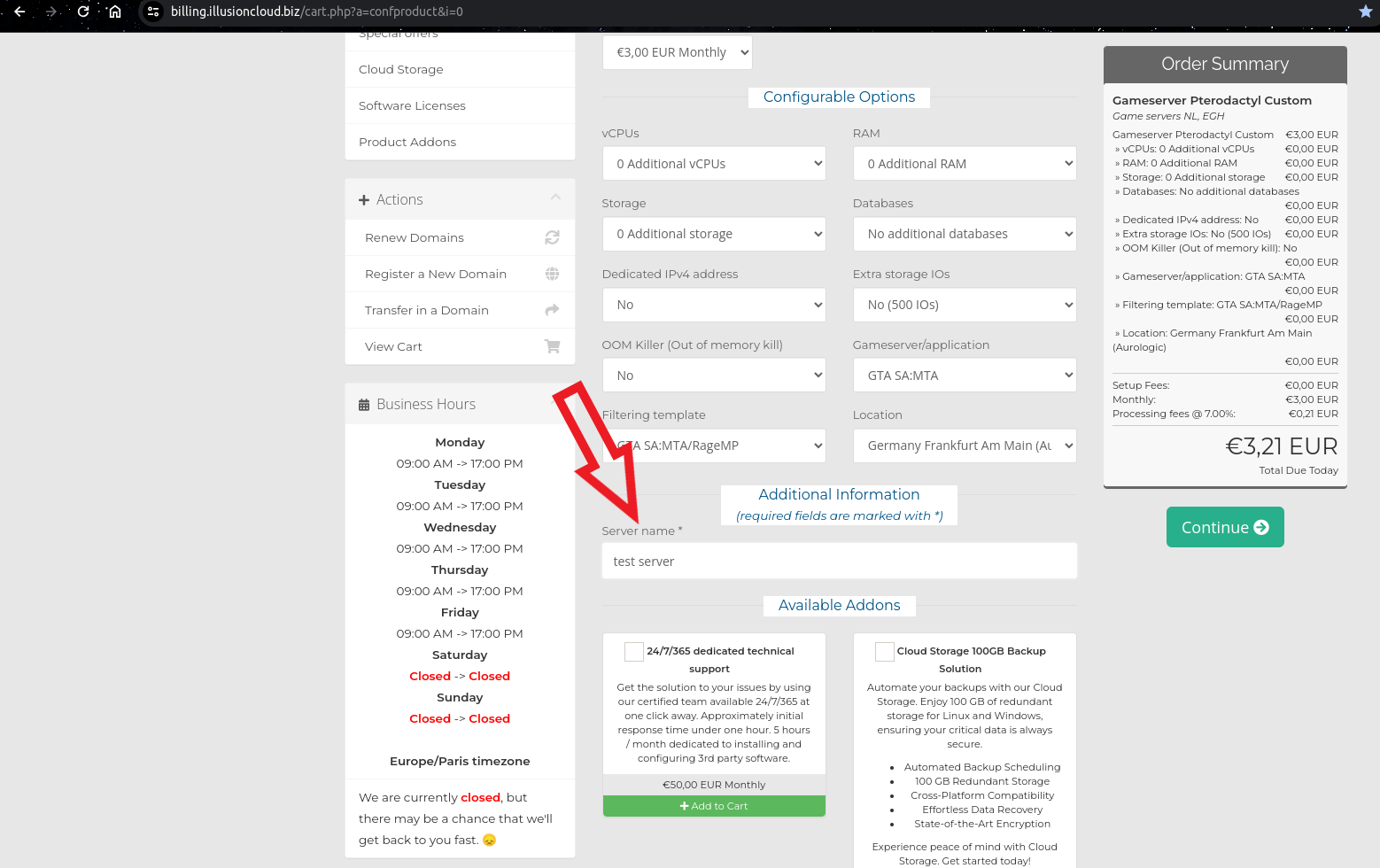
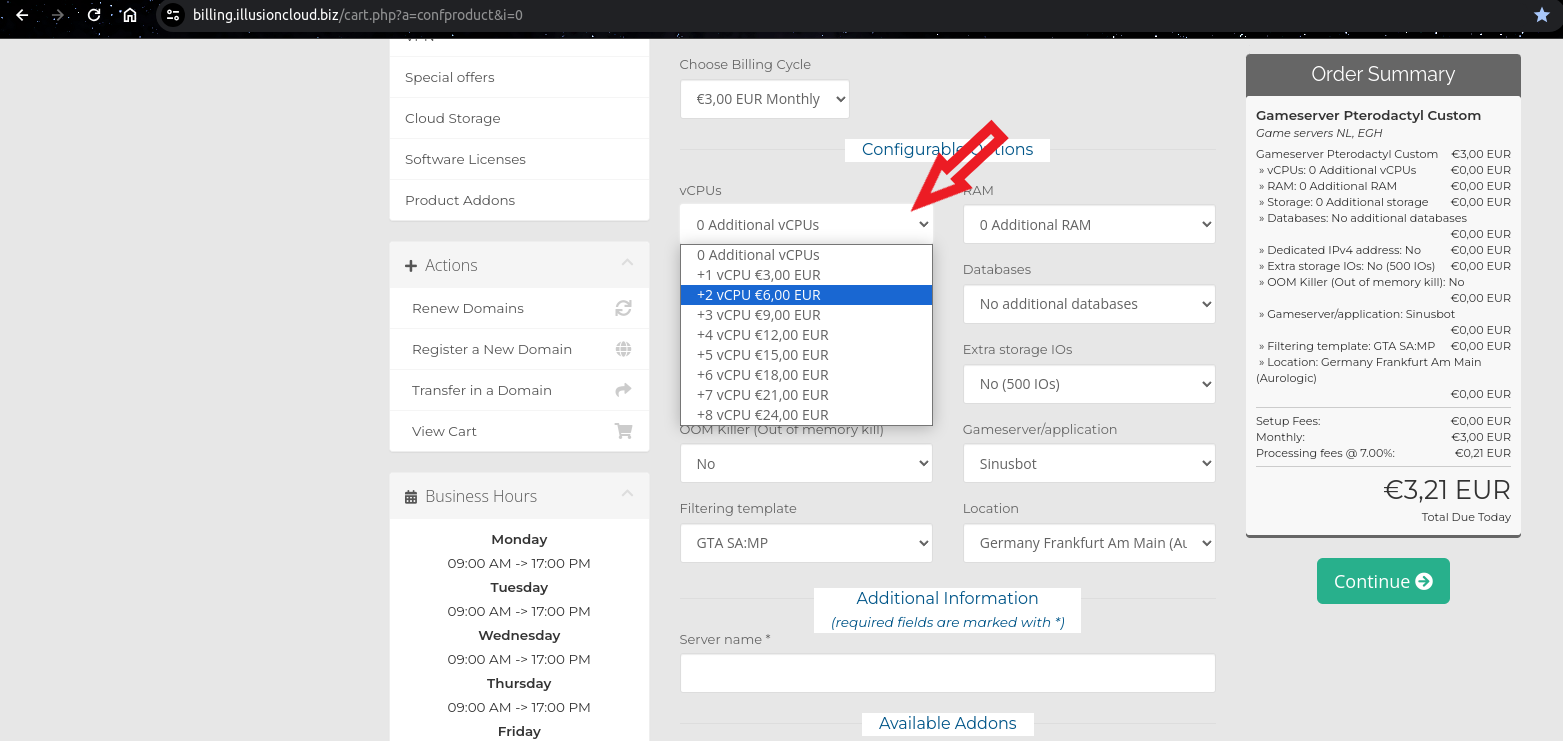
Step 5: Select additional processors (default 1 processor)
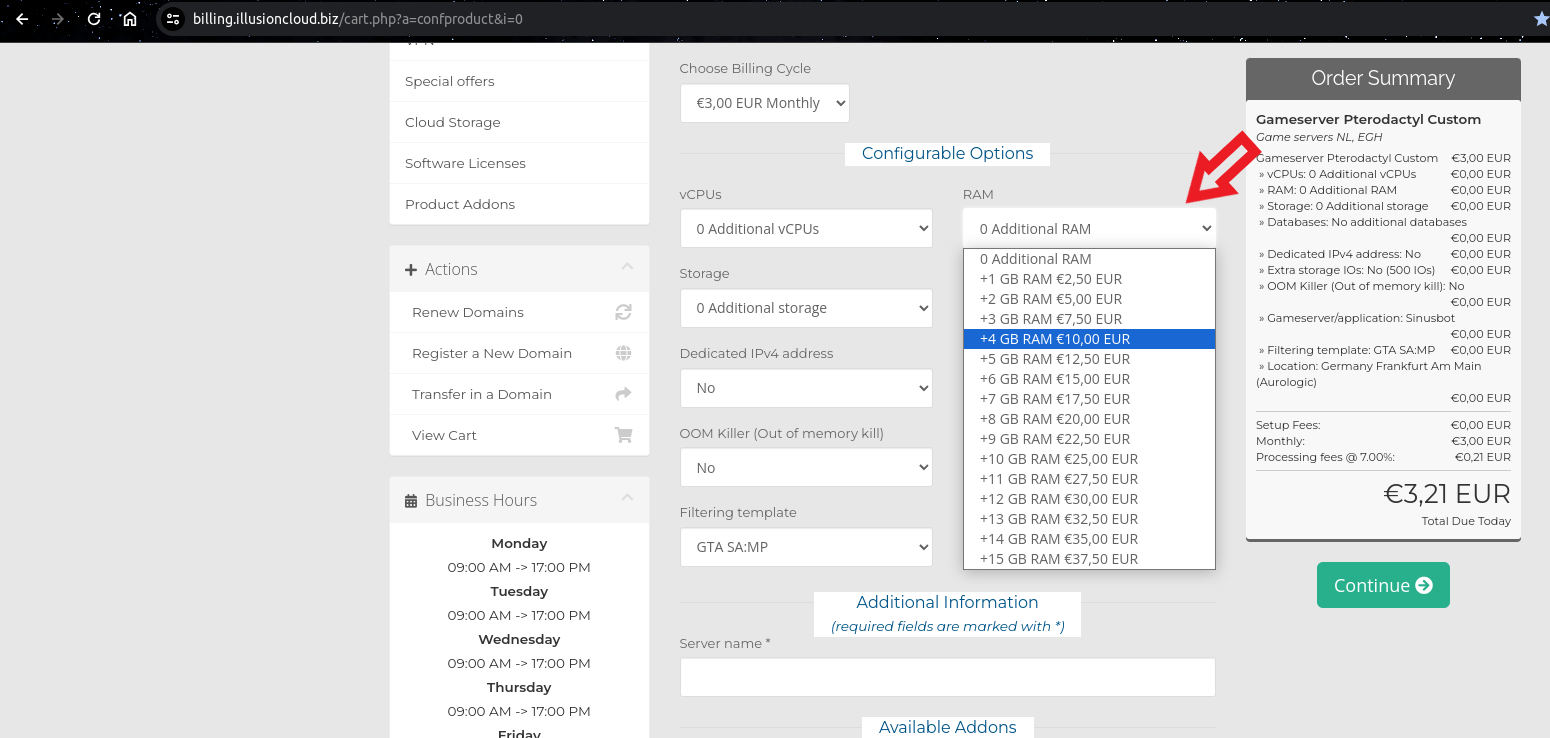
Step 6: Select additional GB of RAM (default 1 GB RAM)
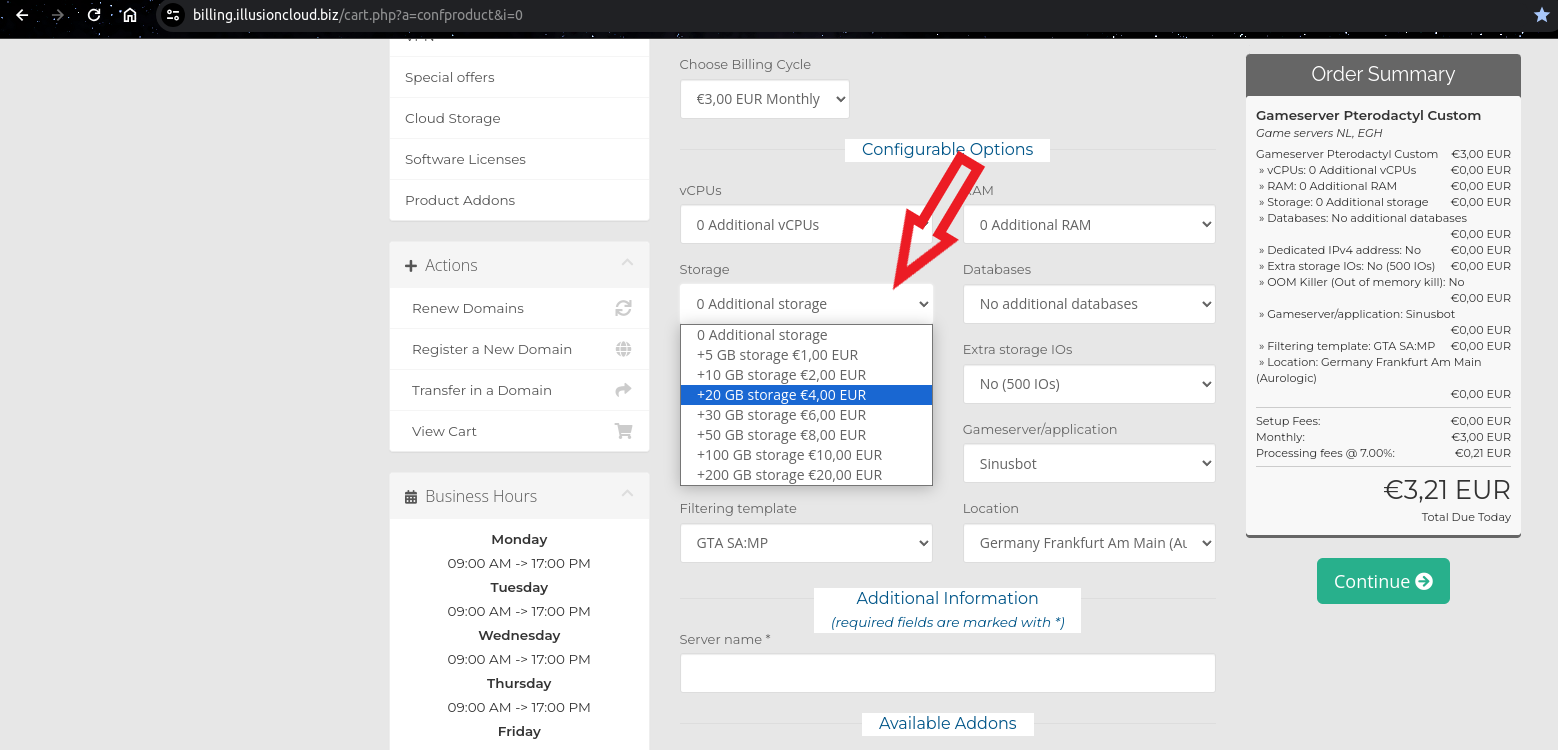
Step 7: Select available storage (default 20 GB storage)
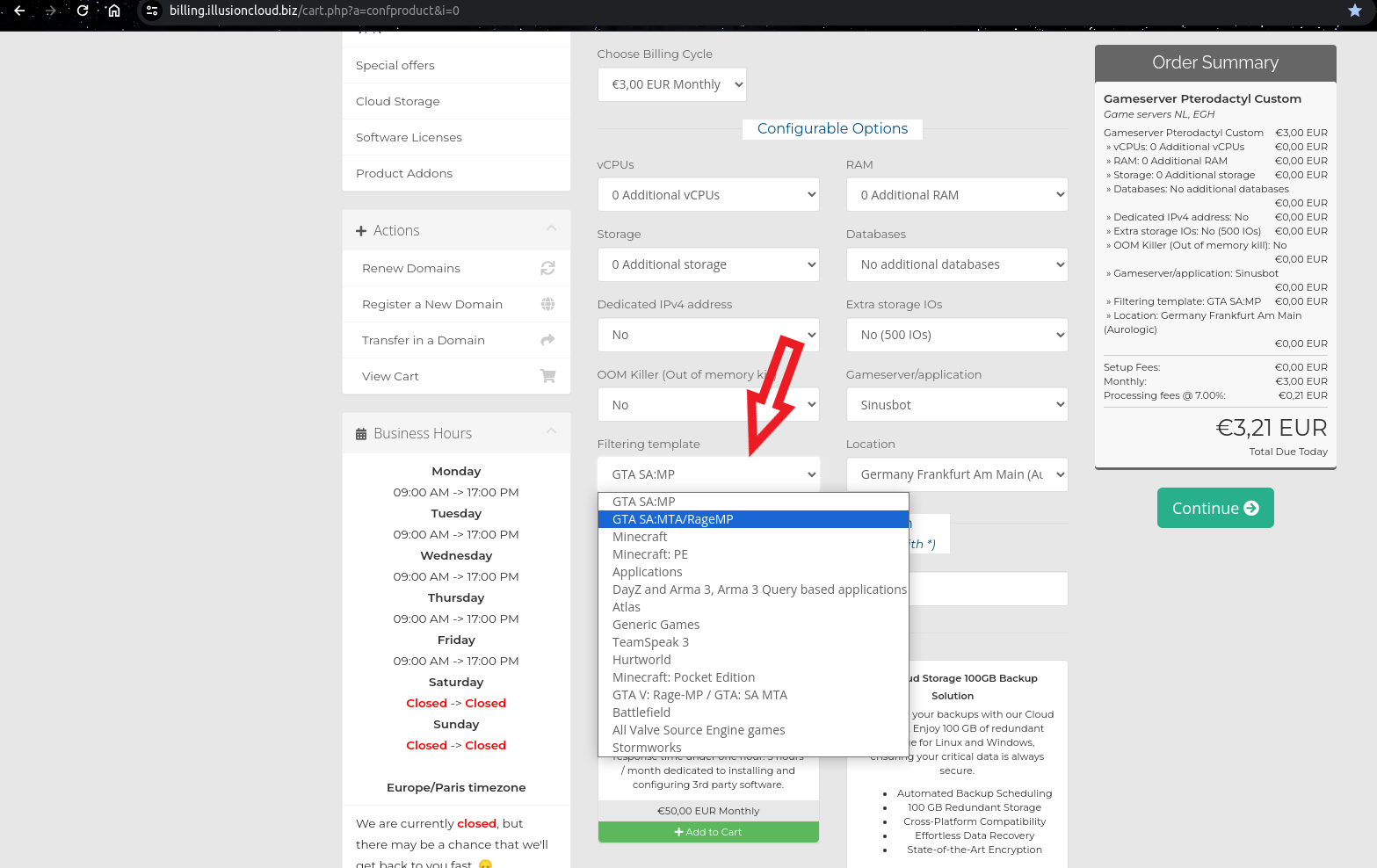
Step 8: Select the type of DDoS protection for the desired application or game server
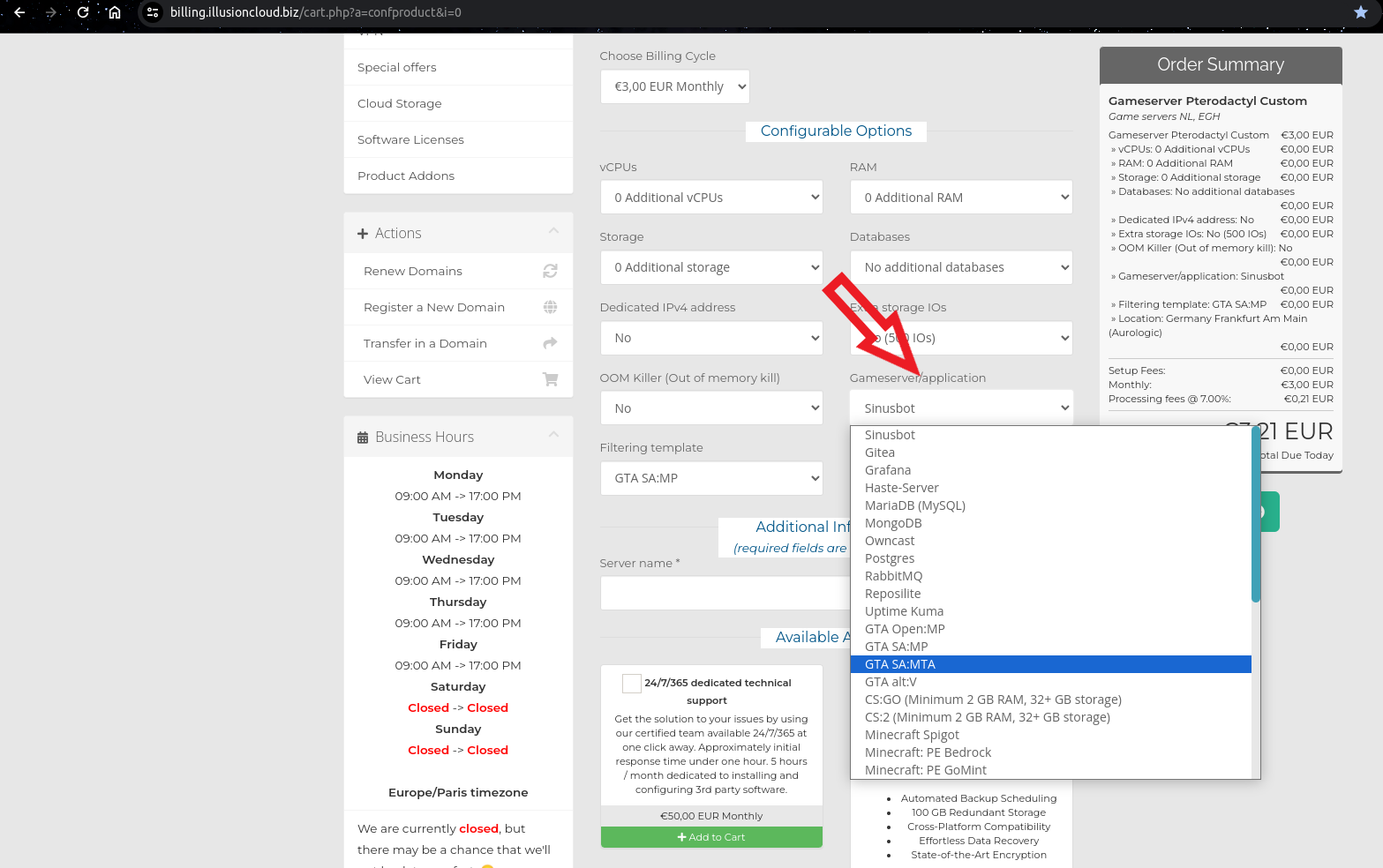
Step 9: Select the desired application or game server
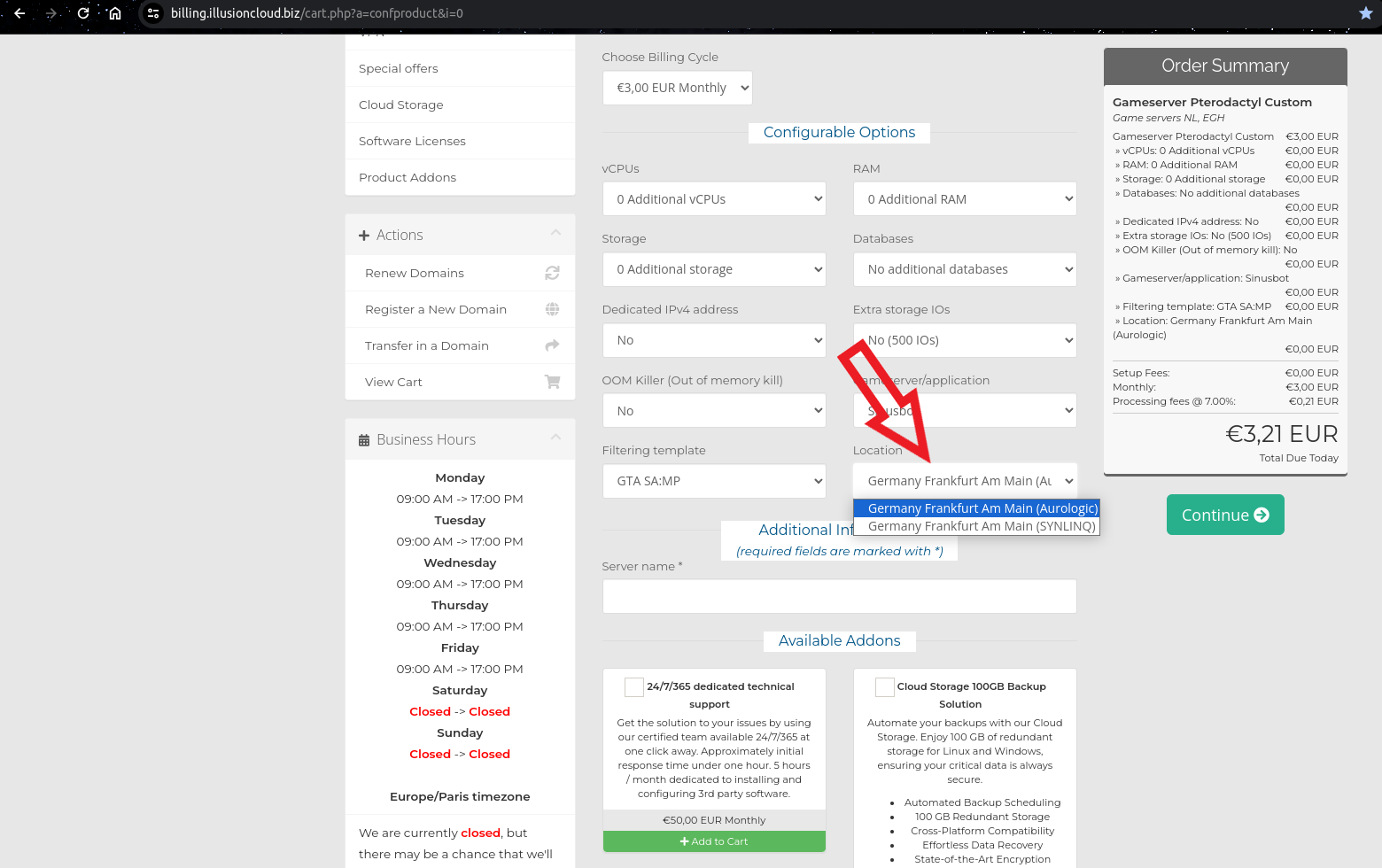
Step 10: Select the desired server location
Step 11: Enter the desired server name (not the actual server name but just a name on the control panel to identify the server)